Pasta Attachment for Stand Mixer: Worth It?

Affiliate disclosure: Some links on this page are affiliate links. If you buy through them we earn a small commission at no extra cost to you. Recommendations are research-driven; we don't claim personal use of every product reviewed. Product prices and availability are accurate as of the date published and are subject to change. Always check Amazon for current pricing before purchasing. Learn more.
Quick Picks
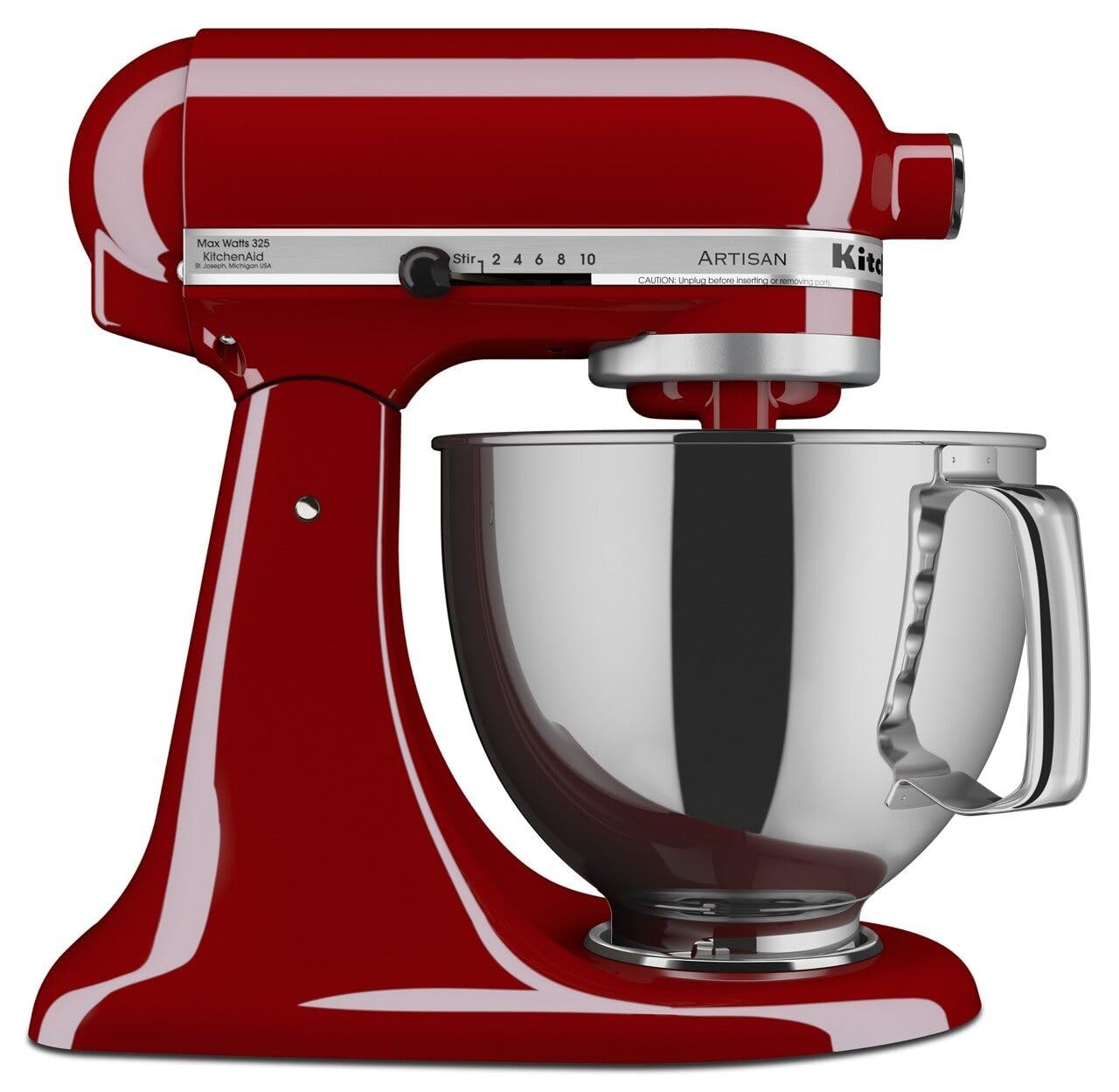
KitchenAid Artisan 5-Quart Stand Mixer (KSM150PS)
10 speeds handle everything from meringue to bread dough
Buy on Amazon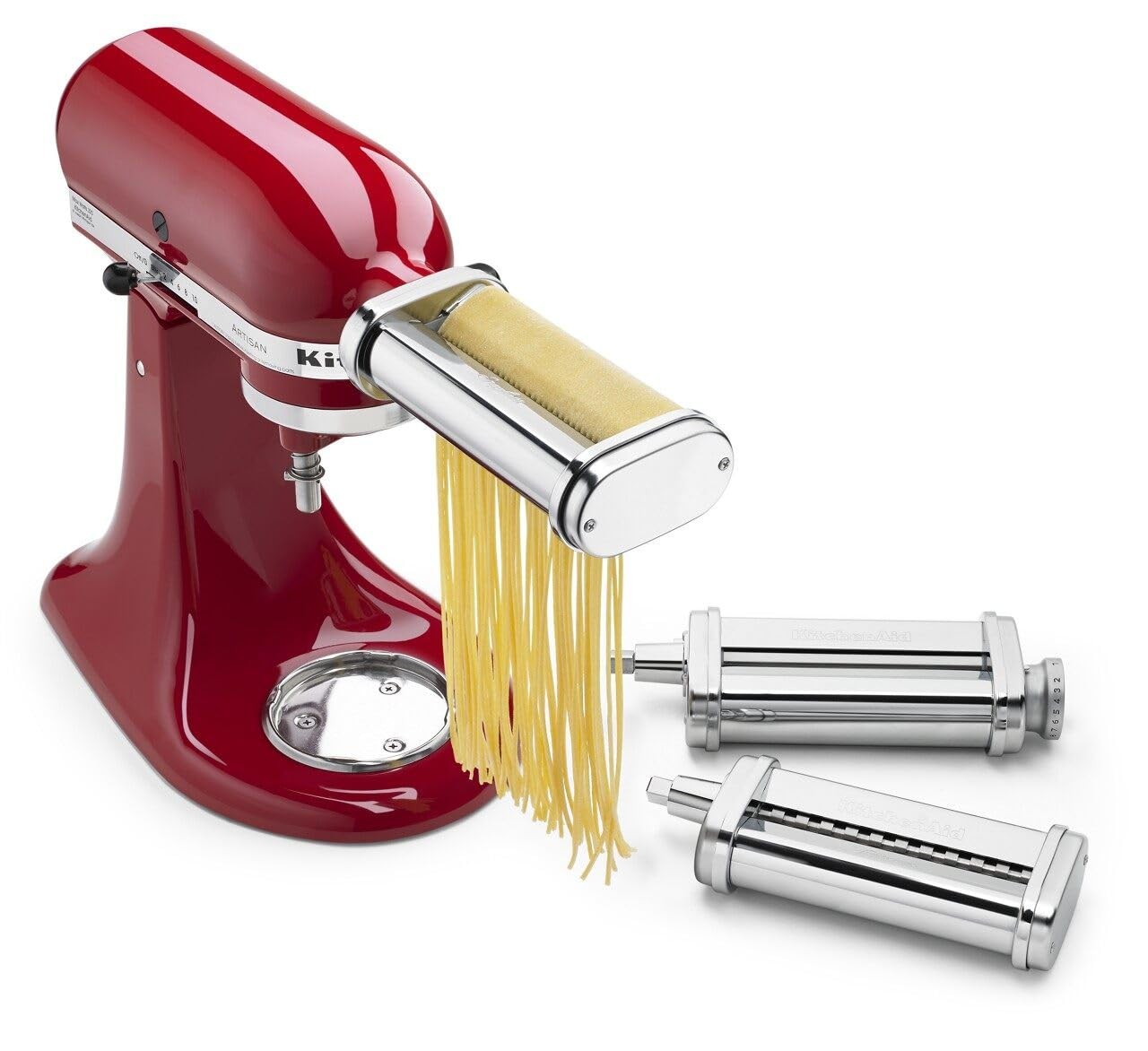
KitchenAid Pasta Roller and Cutter Attachment Set
Rolls pasta to eight thicknesses , the full range from lasagna sheets to angel hair
Buy on Amazon KitchenAid Pasta Roller and Cutter Attachment Set
Rolls pasta to 8 thickness settings , from lasagna sheets to paper-thin tagliatelle
Buy on Amazon| Product | Price Range | Top Strength | Key Weakness | Buy |
|---|---|---|---|---|
| KitchenAid Artisan 5-Quart Stand Mixer (KSM150PS) best overall | $$$ | 10 speeds handle everything from meringue to bread dough | Expensive , over $400 at full retail | Buy on Amazon |
| KitchenAid Pasta Roller and Cutter Attachment Set also consider | $$ | Rolls pasta to eight thicknesses , the full range from lasagna sheets to angel hair | Significant upfront cost on top of the mixer investment | Buy on Amazon |
| KitchenAid Pasta Roller and Cutter Attachment Set also consider | $$ | Rolls pasta to 8 thickness settings , from lasagna sheets to paper-thin tagliatelle | Significant cost on top of the mixer investment | Buy on Amazon |
| Bosch Universal Plus 800W Stand Mixer also consider | $$ | 800W motor , more powerful than KitchenAid Artisan for sustained dough kneading | Attachment ecosystem much smaller than KitchenAid | Buy on Amazon |
The pitch for a pasta attachment is simple: you already own a stand mixer, so why are you still cranking a manual pasta machine with one hand while trying to feed dough with the other? If you’ve been there, you know how quickly that process gets old. A motorized attachment solves the problem. The question is whether the attachment, and the mixer behind it, are actually worth the investment. I’ve cooked enough pasta at home to have opinions about this, and I’ll give you a direct answer rather than a ranked list padded to justify its own existence.
Before we get into the attachments, if you’re still shopping for the mixer itself, the Stand Mixers hub is the better starting point. The attachment conversation only makes sense once the mixer decision is settled.
What to Look For in a Pasta Attachment for a Stand Mixer
Motor and Compatibility
A pasta attachment is only as reliable as the motor driving it. Rolling pasta dough, especially stiff semolina dough, puts sustained load on a motor in a way that whipping egg whites does not. The attachment doesn’t do the physical work here. The mixer’s motor does. So before you spend anything on an attachment, verify your mixer model can handle it.
KitchenAid attachments use the power hub port on the front of the machine, which is present on most KitchenAid stand mixers. The attachment itself is passive metal. The mixer provides all the torque. If your mixer is underpowered or aging, even a well-made attachment will struggle with stiff dough at lower thickness settings.
Thickness Range
Eight settings is the standard on serious pasta rollers, and it matters. Setting one gives you a thick sheet good for lasagna or pappardelle. Setting eight is thin enough for angel hair or delicate tagliatelle. If you ever want to make stuffed pasta, you need the thinner end of the range. Cutters included in the set determine which shapes you can produce without buying additional attachments.
Ease of Use vs. Manual Rolling
The honest comparison for any motorized pasta attachment is the manual pasta machine. A hand-cranked machine like the Marcato Atlas 150 costs a fraction of the price and produces pasta with good texture. What the motorized attachment gives you is two free hands and consistent feed speed. For long sessions producing pasta for multiple people, that matters. For occasional pasta on a Tuesday night, the manual machine might be sufficient.
Build Quality
All-metal construction is the right call here. Anything with plastic gearing in a pasta attachment is a problem waiting to happen. The dough pressures involved are not trivial, and plastic components wear faster than you’d expect.
Top Picks
KitchenAid Artisan 5-Quart Stand Mixer (KSM150PS): The Attachment Platform
The KitchenAid Artisan 5-Quart Stand Mixer is the default recommendation for home cooks who want to use pasta attachments, and the reason is straightforward: the attachment ecosystem is the differentiator. No other consumer stand mixer in this category has as many compatible accessories. The pasta roller, the meat grinder, the ice cream maker, the food grinder , they all share the same power hub.
Ten speeds give you actual control over mixing tasks. The planetary mixing action means the beater covers the full bowl, so you’re not stopping to scrape corners every few minutes. If you use a whisk attachment for KitchenAid alongside your pasta work, you already know how much mileage you get from a single machine with well-designed accessories.
The limitation worth taking seriously is the 5-quart bowl. If you’re regularly making pasta for six or eight people, you’re going to make the dough in batches. For a large family or frequent entertaining, it becomes a real bottleneck. The KitchenAid 8-Quart Commercial Stand Mixer solves this, though it’s a significant step up in both size and price, and the commercial-grade machine is more than most home kitchens need.
At premium pricing, the Artisan is not a casual purchase. Check current price on Amazon. But if pasta attachments are part of why you’re buying a stand mixer at all, this is the machine to buy them for.
KitchenAid Pasta Roller and Cutter Attachment Set: The Actual Recommendation
If you own a compatible KitchenAid mixer, the KitchenAid Pasta Roller and Cutter Attachment Set is the attachment to buy. Eight thickness settings cover the full practical range. The fettuccine and spaghetti cutters are included in the standard set. All-metal construction throughout.
The motor-driven operation is the real change from a manual machine. You feed the dough in, the mixer pulls it through, and you catch the sheet on the other side. On a Marcato or similar hand-crank machine, you need a third hand, or a patient partner, or a kitchen setup that lets you clamp the machine to a surface. With the KitchenAid attachment, both your hands are managing the dough. For anyone who has struggled to keep a pasta sheet from folding back on itself while cranking (I have done this, repeatedly, and it is as frustrating as it sounds), the motorized version fixes it.
The texture caveat is real. Machine-rolled pasta, even with a good attachment, is more uniform than hand-rolled pasta. The rough texture you get from hand-rolling with a wooden pin, which catches sauce differently, is not something any metal roller replicates. If rustic pasta with visible irregularities is what you’re after, a rolling pin is the answer. If consistent, clean sheets are the goal, the attachment delivers.
The price adds to your existing mixer investment, and that’s mid-range pricing for the attachment alone. Check current price on Amazon. It’s not inexpensive. But compared to buying a dedicated electric pasta machine as a separate appliance, it’s a reasonable spend if the mixer is already on your counter.
Bosch Universal Plus 800W Stand Mixer: The Pasta Attachment Problem
The Bosch Universal Plus 800W Stand Mixer is a legitimate stand mixer for bread bakers. The 800W motor handles sustained dough kneading better than the KitchenAid Artisan, and the 6.5-quart bowl at mid-range pricing is genuinely good value for the capacity. It’s lighter than comparable KitchenAid units, which matters if you move your mixer on and off a shelf regularly.
The problem for this article is the attachment ecosystem. Bosch makes pasta attachments for this machine, but the selection is considerably smaller than KitchenAid’s, and availability is inconsistent. If the pasta attachment is a primary reason you’re buying a stand mixer, the Bosch is the wrong starting point, even accounting for its motor advantage.
The Bosch is a better recommendation for someone who wants a powerful, high-capacity mixer primarily for bread dough and doesn’t expect to expand into pasta, meat grinding, or the broader attachment universe. For that use case, the KitchenAid’s attachment hub is a feature you’re paying for without using, and the Bosch’s motor and bowl size make more sense.
How to Choose
The decision tree here isn’t complicated, though I appreciate that the investment doesn’t feel small.
If you already own a compatible KitchenAid mixer, buy the pasta roller and cutter set. The marginal cost is justified if you make pasta more than occasionally, and the motor-driven convenience is real.
If you’re buying a mixer specifically to make pasta (and other baked goods), the KitchenAid Artisan is the machine to build around. The attachment ecosystem is the reason. Spend the money once on the platform and expand the attachment set incrementally.
If you need high-capacity dough work and pasta is secondary or irrelevant to your cooking, the Bosch Universal Plus is worth serious consideration. It’s a better dough machine at that price point, but you’re accepting limited attachment options.
One practical note: if the 5-quart bowl on the Artisan is your concern but the commercial 8-quart is more machine than you need, there’s middle ground in KitchenAid’s lineup. The KitchenAid Commercial Stand Mixer 8 Quart is worth reading about before you decide the Artisan is too small and the commercial unit is too large.
For anyone still in the early stages of the mixer decision, revisit the stand mixer buying guide before committing to any attachment set. The attachments are only as useful as the platform they run on.
Frequently Asked Questions
Will KitchenAid pasta attachments work on any KitchenAid stand mixer?
Most KitchenAid stand mixers with the standard power hub on the front are compatible with the pasta roller and cutter attachment set. This includes the Artisan, Classic, and Professional series. Tilt-head and bowl-lift models both have the hub. Confirm your specific model number against KitchenAid’s compatibility list before purchasing, because older or entry-level models occasionally have hub port differences.
Is a stand mixer pasta attachment better than a manual pasta machine?
Better depends entirely on what you’re optimizing for. The stand mixer attachment is faster, requires less physical effort, and frees both hands during rolling. A manual machine like the Marcato Atlas 150 costs considerably less and produces pasta with slightly more textural variation, which some cooks prefer for sauce adhesion. For frequent use and large batches, the motorized attachment wins on practicality. For occasional use by someone who enjoys the process, the manual machine is fine.
Can I make fresh pasta dough in the stand mixer before rolling it?
Yes, and this is one of the underappreciated advantages of the setup. Mix the dough with the dough hook, let it rest, then switch to the pasta attachment for rolling. You’re using the machine for both stages of the process. The dough hook on the KitchenAid Artisan handles pasta dough well on speed 2.
How do I clean the pasta roller attachment?
Do not put the pasta roller in water. Moisture causes rust in the internal rollers. Brush out flour and dried dough with a stiff pastry brush or the small cleaning brush included with most sets. For stuck dough, let it dry completely and then brush it out. KitchenAid and most other manufacturers explicitly advise against water cleaning for these attachments.
What pasta shapes can I make with the standard KitchenAid attachment set?
The standard set produces flat sheets at eight thickness levels, plus fettuccine and spaghetti. For other shapes, you need additional cutter attachments. KitchenAid sells separate cutters for angel hair, lasagna (wide flat sheets), and a few others. The extruder attachment is a separate product entirely and handles tubular shapes like rigatoni and penne through a different mechanism than the roller.
Frequently Asked Questions
Does the KitchenAid pasta attachment work with all KitchenAid stand mixer models?
The KitchenAid pasta roller and cutter attachment works with most KitchenAid stand mixers that have the power hub port on the front of the machine. This includes the Artisan, Professional, and most other full-size models. Mini mixer models use a different attachment hub and are not compatible.
Is a pasta attachment better than a manual pasta machine?
For most home cooks, yes. A motorized pasta attachment frees both hands — one to feed the dough, one to catch the sheet — and maintains consistent rolling speed, which produces more uniform pasta. Manual machines require one hand on the crank, which can make the process awkward, especially when working alone.
What pasta shapes can the KitchenAid pasta attachment make?
The standard KitchenAid pasta attachment rolls flat sheets at eight thickness settings. It comes with fettuccine and spaghetti cutters. Additional cutter attachments for shapes like linguine, lasagna sheets, and angel hair are sold separately.
Does a pasta attachment work with semolina dough, or only all-purpose flour dough?
The KitchenAid pasta attachment works with both, but semolina dough is stiffer and puts more sustained load on the motor. Make sure your mixer is in good working condition before using stiff dough regularly, as underpowered or aging motors can struggle with the resistance.
Is the Bosch Universal Plus mixer compatible with KitchenAid pasta attachments?
No. KitchenAid pasta attachments are designed specifically for the KitchenAid power hub and are not compatible with Bosch mixers. Bosch has its own, much smaller, attachment ecosystem. If pasta making is a priority, KitchenAid's attachment library is a significant advantage.
Where to Buy
KitchenAid Artisan 5-Quart Stand Mixer (KSM150PS)See KitchenAid Artisan 5-Quart Stand Mixe… on Amazon